
Owlet
Developers rarely write code by hand anymore. Agents write the code, while humans review plans, track progress, and make decisions. Yet VS Code is built for "90% writing, 10% reading", so remote connections and switching projects feel slow and heavy.
Owlet is a fast project editor built for 90% reading, 10% writing. In daily use, it feels 10x faster than VS Code.
现在人都不怎么手写代码了——Agent 负责写,人负责看方案、盯过程、做决策。但 VS Code 是按「9 分写、1 分看」设计的,连远程切项目又慢又重。
所以我做了一个 「9 分看、1 分写」 的极速项目编辑器 Owlet,日常交互体感比 VS Code 快 10 倍。
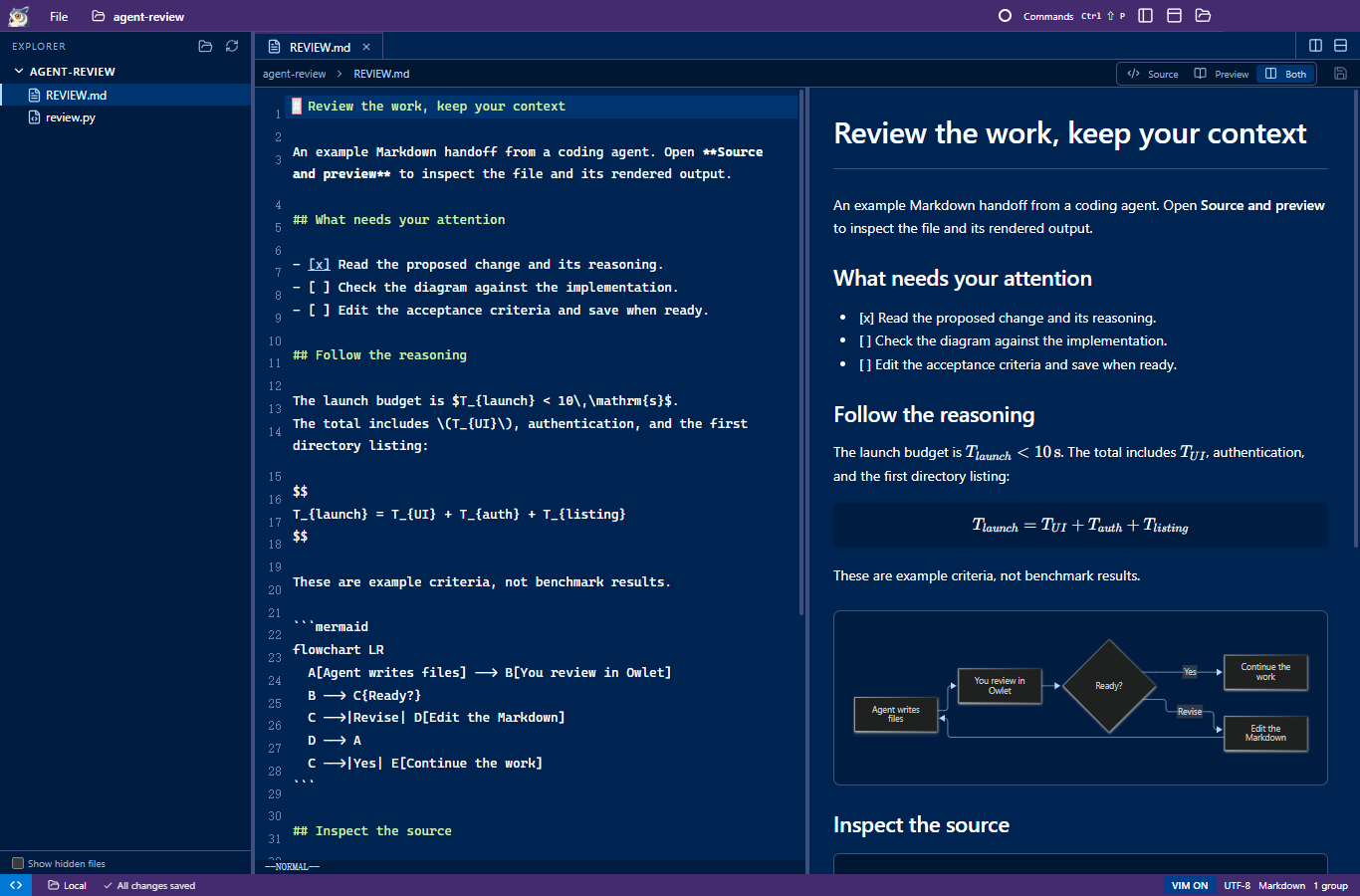
- Cold-start a project in under 10 seconds. Opens a full project window in 4.55 seconds over a bandwidth-limited SSH connection (test conditions). Run
owlet .in the integrated terminal to switch directories and open another project window instantly, just likecode .. - Zero-bloat SSH remote. No persistent heavy server installed on the remote host. Owlet reuses your existing SSH setup, staying responsive even on a Raspberry Pi or a bandwidth-limited jump host.
- Rich Markdown preview. Native rendering for math equations, Mermaid diagrams, images, and syntax-highlighted code, with split panes for reading agent-written plans and specs.
- Peacock project colors. Spot the right project at a glance across multiple agent windows, or import your existing VS Code Peacock color directly.
- Familiar VS Code workspace. File explorer, tabs, split panes, movable terminals, Vim mode, and a command palette. Open files and terminals across split panes.
Getting started
- Preferred: let your agent do it. Copy
https://github.com/NekoApocalypse/owletinto your coding agent (Claude Code, Codex, Antigravity, or OpenCode) and ask it to build and launch Owlet. - Build it yourself. Requires Windows x64, Node.js 22.12+, and npm.
Opennpm ci npm run build npm run packagerelease/Owlet/Owlet.exe. Choose Open Local Folder or Connect to Remote (SSH) from the welcome screen, status bar, or command palette (Ctrl+Shift+P).
Limitations
- Platform support: Currently Windows (x64) only. macOS and Linux users are welcome to hand this repository to their own coding agents, bring their own tokens, and contribute cross-platform support.
- Not yet supported: Signed installers, automatic updates, and interactive SSH password or MFA prompts. SSH hosts require Linux, Bash, Python 3, and working non-interactive authentication.
- Out of scope: Git UI, debugging, language servers, and an extension marketplace. Owlet is a fast, focused tool for reviewing and editing agent work, not an IDE.
- Current limits: UTF-8 text up to 4 MiB and raster images up to 16 MiB. Owlet bundles Electron, so a fast workflow does not mean a tiny download or memory footprint.
Owlet — 极速版项目编辑器
- 10 秒内冷启动项目:限速 SSH 下实测 4.55 秒 打开完整项目窗口(测试条件),集成终端里直接
owlet .秒切目录(体验同code .)。 - SSH 远程不占带宽:不在远端装常驻重型 Server,直接复用现有 SSH,树莓派或限速跳板机都不卡。
- 优秀的 Markdown 预览:原生渲染公式、Mermaid 图、图片与代码高亮,配合分屏(split pane)阅读 Agent 写的 Plan 和 Spec。
- Peacock 项目主题色:多开几个 Agent 窗口一眼靠颜色认出项目,支持直接导入 VS Code 现有配色。
- 熟悉的 VS Code 工作区:文件树、标签页、分屏(split pane)、可移动终端、Vim 模式与命令面板齐备,文件与终端可在分屏间自由组合。
快速开始
- 推荐方式:直接交给你的 Agent。 把本仓库地址
https://github.com/NekoApocalypse/owlet丢给你常用的 Coding Agent(Claude Code、Codex、Antigravity、OpenCode 等),让它直接构建并启动 Owlet。 - 手动构建。 环境要求:Windows x64 · Node.js 22.12+ · npm。
打开npm ci npm run build npm run packagerelease/Owlet/Owlet.exe。通过欢迎页、状态栏或命令面板(Ctrl+Shift+P)选择 Open Local Folder 或 Connect to Remote (SSH)。
当前局限
- 平台支持:目前只做了 Windows (x64) 版本。欢迎 macOS 和 Linux 用户直接把仓库丢给自己的 Agent,自带 token 贡献跨平台兼容性。
- 暂未支持:签名安装包、自动更新,以及交互式 SSH 密码 / MFA 弹窗。SSH 远端主机需具备 Linux、Bash、Python 3 及可用的免密(非交互式)认证。
- 不做的功能:Git UI、调试器、LSP 语言服务与插件市场。Owlet 专注于快速审阅和轻量编辑 Agent 的产出,不做重型 IDE。
- 当前体积与文件限制:UTF-8 文本上限 4 MiB,位图上限 16 MiB。Owlet 内置 Electron,轻量流畅指的是交互工作流,而非安装包体积或内存占用。